
AutoZonePro Mobile
AutoZone, Inc.Auto & Vehicles
4.5551.00 Reviews
- Version
- 5.3.0
- Installs
- 100.00K
- Age Rating
- Everyone
Screenshots
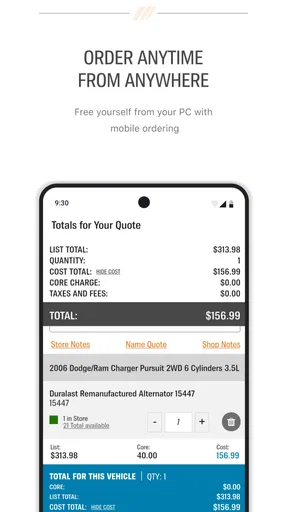
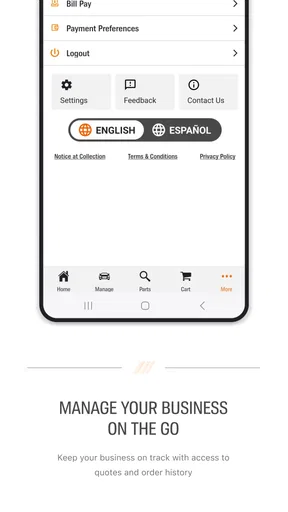
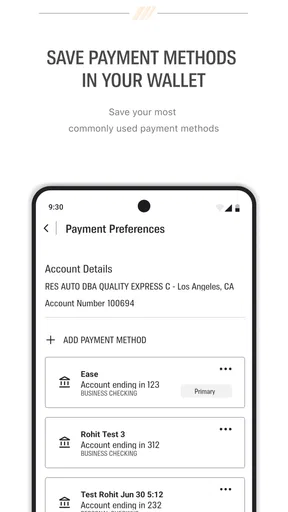
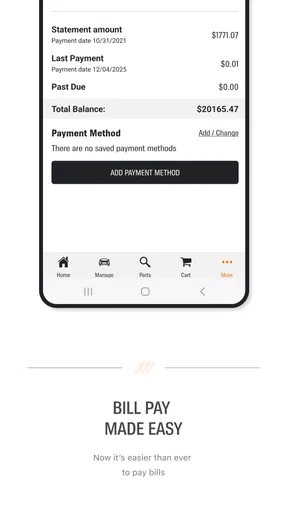
Our Review of AutoZonePro Mobile
 Analysis by Appyee
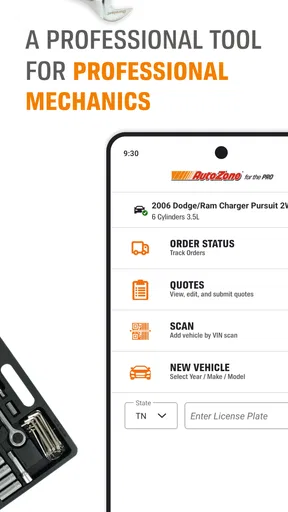
AutoZonePro Mobile is the kind of Android app that makes sense when your work depends on getting the right vehicle part without slowing down the next job. I approached it as a practical tool rather than a general shopping app, and that distinction matters. Its focus is parts ordering for professional users, with AutoZone, Inc. behind it, so the useful question is not whether it looks exciting, but whether it helps a technician, shop employee, or parts buyer move from a vehicle need to an order with less back-and-forth.
In my experience, the app is most valuable when it becomes part of a repeatable shop routine. You identify the vehicle, check the required part, review the order details, and keep the process moving. That sounds simple, but automotive ordering is full of small opportunities for error: an incomplete vehicle description, an incorrect catalog match, a quantity mistake, or an order started before the final repair decision is clear. The app can make the ordering stage more convenient, but it does not replace careful identification or professional judgement.
It is a free Auto & Vehicles app rated for Everyone, and its current version is 5.3.0. The app has reached over one hundred thousand installs and holds an average rating of 4.5 from around one thousand ratings, with more than five hundred written reviews. Those figures suggest that it has found a real audience among people who need a mobile route into AutoZonePro rather than a casual browsing experience.
Where the ordering experience can become difficult
When I look at where a professional order can bog down, I focus on the handoffs: vehicle details, part selection, account context, and confirmation all have to line up. A useful way to reduce confusion is to pause at each handoff and keep the repair information in view, rather than relying on memory while moving between tasks. That makes the next question less about speed and more about preparing the phone and workflow before the shop gets busy.
The app is built around a professional task
The first thing I would tell a friend is not to treat AutoZonePro Mobile like a consumer marketplace. Its store summary is “Parts Ordering for the PRO,” and that purpose shapes the experience. If you are ordering parts for a repair business, managing several vehicles, or working through a regular purchasing process, the focused approach is useful. If you simply want to compare accessories, browse ideas, or shop casually for your own car, it may feel narrower than a standard retail app.
That narrow focus is a strength during a busy day. A professional usually does not need a long stream of promotional browsing; they need to reach the relevant ordering workflow and avoid unnecessary steps. The trade-off is that the app may feel less forgiving to someone who does not already understand the vehicle, the repair, or the ordering process. I would not use it as the only source of mechanical advice when the underlying part choice is uncertain.
Vehicle and part identification still require attention
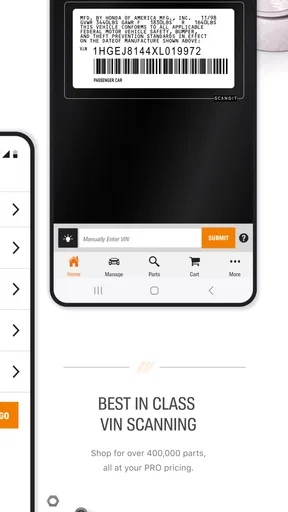
A mobile catalog can help organize a parts search, but it cannot correct every mistake made before the search begins. Vehicle year, make, model, engine configuration, and the exact repair need can all affect the result. Even when a catalog presents a plausible match, I would still compare the result with the vehicle information and the repair plan before committing an order.
One practical habit is to keep the repair order or vehicle notes visible while working through the app. That prevents a common mistake: selecting the right part for a similar vehicle rather than the vehicle actually in the bay. Another is to pause when the result seems surprisingly cheap, unusually different, or inconsistent with the original diagnosis. A fast order is not a good order if it creates a return, a delayed repair, or a second trip for the correct component.
Login and account context can affect the first impression
Professional ordering apps often depend on the correct account context, and this is where users can become stuck before they even reach the useful part of the application. I would begin by checking that I am using the account intended for AutoZonePro work, rather than assuming a general retail login or a personal account will provide the same path. If the app opens but does not show the expected professional workflow, I would treat account context as the first thing to verify.
This is also why I would avoid judging the app after only one failed attempt. A sign-in issue, a stale session, or a mismatch between the account being used and the work environment can look like an app defect. The sensible approach is to close the app, reopen it, and carefully confirm the account details before repeating the order. If the same problem continues, the account or service side deserves attention rather than endless tapping inside the app.
Network conditions matter more in a moving shop
Parts ordering often happens in places where the phone is moving between a service bay, a parking area, a counter, and a vehicle. A weak or changing connection can interrupt loading, delay a response, or leave the user unsure whether an action completed. I would not immediately repeat an order just because the screen takes longer than expected. First, I would check whether the page has refreshed, whether the order status has changed, or whether the app simply needs a moment to finish communicating.
This is one of the more important workflow habits: verify the result before trying the same action again. Duplicate actions are especially risky in a purchasing tool. If the app appears frozen during a final step, checking the order history or confirmation state is safer than pressing the same control repeatedly. When there is no clear confirmation, I would use the normal professional support or store process to verify the order rather than guessing.
Setup checks that prevent avoidable trouble
Before depending on the app during a rush, I would check more than whether it opens: I would confirm that the intended professional account is accessible and that the device can stay connected in the places where orders are usually handled. I also find it helpful to have the vehicle and repair details ready before beginning, especially when several jobs look alike. Those small checks lead naturally to the recovery steps worth trying if a screen or session later behaves unexpectedly.
Start with a clean, current installation
AutoZonePro Mobile was released on March 30, 2018, and the current version is 5.3.0. For a practical setup, I would install it from the official app store, allow the installation to finish completely, and then open it once before trying to place a time-sensitive order. That first launch is useful for discovering whether the app opens normally, whether the sign-in route is available, and whether the device is ready for the workflow.
The minimum operating system is Android 7.0. That makes the app accessible to older Android devices, but compatibility alone does not guarantee a smooth experience on every phone. A device with very limited free storage, an overloaded background workload, or an outdated system component can still behave poorly. Before relying on the app during a rush, I would restart the phone, close unnecessary applications, and make sure there is enough storage for normal operation.
Use the phone as a work tool, not just a download target
Small setup choices can make a large difference in a service environment. I would keep the device charged, use a stable connection when possible, and avoid switching repeatedly between several apps while an order is being processed. If the phone is mounted somewhere that makes the screen difficult to read, the problem may appear to be the app when the real issue is visibility or accidental input.
I would also confirm that the device is not aggressively restricting the app in the background. Android battery-saving behavior can interrupt applications that need to communicate while the user moves between screens. I would make only ordinary device-level adjustments and avoid installing unofficial tools that claim to “fix” the app. A professional ordering workflow is not improved by adding unknown cleaners, modified installers, or third-party login helpers.
Prepare the information before opening the order flow
The best setup is not only technical. It is also about having the right information ready. Before searching, I would note the vehicle details, the requested repair, the quantity, and any information from the technician or work order that affects the choice. This reduces the temptation to make a rushed selection from memory.
For a shop handling several vehicles, I would work on one repair order at a time and keep the vehicle identity clear. Mixing two similar jobs in one session is an easy way to select the wrong catalog context or order the correct part for the wrong customer. The app may speed up the transaction, but a disciplined preparation routine is what protects accuracy.
Know what the app can and cannot decide
I see AutoZonePro Mobile as an ordering interface, not as a substitute for diagnosis. If the real question is whether a vehicle needs a sensor, belt, filter, brake component, or another part, that decision should come from the repair process and the person responsible for it. The app can support the purchasing step, but it should not be treated as an authority that removes the need to inspect the vehicle or confirm fitment.
This distinction answers an important question for new users: can the app guarantee that a part is right? I would not rely on any mobile catalog alone for that guarantee. Use the app to organize and submit the order, then apply the same verification standards you would use with a counter employee or a paper catalog. The convenience is real, but professional responsibility remains with the person placing the order.
Recovering a workflow when something goes wrong
When a workflow breaks, I try to identify the point where it stopped before restarting from the beginning. A screen that has not refreshed, a session that needs reopening, and an order that never submitted call for different responses, so checking the visible status first can prevent duplicate work. If simple checks do not restore the process, the next section helps separate a local app issue from account or service trouble.
When the app opens but a screen does not behave normally
If the app launches and a page fails to load, I would begin with the simplest checks. Confirm the connection, wait briefly, close and reopen the app, and try again without repeatedly submitting the same action. If the problem appears only on one device, restarting that device is a reasonable next step. These actions are basic, but they separate a temporary session problem from a more persistent service or account issue.
I would be careful with clearing app data because it can remove local session information and force another sign-in. That may be appropriate when the application is clearly stuck in a damaged local state, but it should not be the first move during an urgent order. First record any information needed to resume, then use standard Android app-management tools only when the simpler recovery steps fail.
When an order seems to disappear
A missing-looking order can create unnecessary panic. Before starting over, I would check the order area again, refresh the relevant screen, and confirm that the account is the expected professional account. I would also look for a confirmation message or any other indication that the submission completed. The goal is to establish whether the order failed, is still processing, or was submitted successfully but is not immediately visible.
This is a useful distinction between an app problem and a display problem. A delayed screen does not necessarily mean a failed transaction. If the order has financial or operational consequences, I would verify it through the normal AutoZonePro support or store channel before placing a replacement. That may take a little longer, but it is safer than creating duplicates and sorting them out afterward.
When sign-in repeatedly fails
For repeated sign-in trouble, I would check the account information carefully, confirm the connection, and restart the session rather than making many rapid attempts. If the account works elsewhere but not in the app, the local installation or session may be involved. If the account fails across the professional workflow, the issue may be account-related instead.
I would also avoid sharing credentials with coworkers simply to get past a blocked screen. That creates confusion about who placed an order and makes later troubleshooting harder. In a shop, each user should follow the organization’s normal account procedure. The app is more useful when the ordering history and responsibility remain clear.
When an update or reinstall is appropriate
Because the app has a defined current version, I would check the official store for an available update before assuming the installation is current. An update can resolve compatibility or stability problems, but I would not interrupt a live order without first confirming its status. If reinstalling becomes necessary, I would make sure I know the correct account route and have the information needed to sign back in.
Reinstallation is a recovery step, not a cure for every problem. It will not fix incorrect vehicle information, a service outage, an account restriction, or a weak connection. That is why I prefer a sequence: confirm the account, test the connection, restart the session, check the order state, and only then consider reinstalling. This keeps the troubleshooting focused and reduces the chance of losing useful local context.
When the app is not the cause
Not every frustrating result starts inside the app: an uncertain fitment, unavailable inventory, or a repair decision that needs clarification may require a person rather than another attempt on the phone. I treat the app as one part of the ordering chain and ask whether the underlying task is already clear before troubleshooting the interface. That distinction helps identify when continuing in the app is sensible and when another route is more useful.
Catalog uncertainty belongs in the repair process
Sometimes the app returns a result that does not match what the technician expected. That does not automatically mean the catalog is broken. The vehicle may have multiple configurations, the repair description may be incomplete, or the original diagnosis may need another look. I would compare the result with the vehicle identification and consult the responsible technician before forcing a selection.
This is where a traditional counter conversation can be better than a phone. A parts professional can discuss an unusual case in real time, while a mobile workflow is strongest when the user already knows what needs to be ordered. If the job is unfamiliar, high-risk, or dependent on details that are difficult to enter accurately, I would choose the more interactive route.
Inventory and fulfillment are separate from the interface
A smooth app screen cannot create stock where none is available, and a successful submission does not change the realities of fulfillment. If a part is delayed, unavailable, or unsuitable for the repair schedule, the issue may be operational rather than technical. I would check the order details and use the normal store or professional support process to clarify the next step.
This is another reason not to judge the app solely by delivery speed. Its job is to support the ordering process. The broader experience also depends on catalog accuracy, inventory, store operations, and the decisions made by the person ordering. When those pieces work together, the mobile route is convenient; when one of them fails, switching immediately to another app may not solve the underlying problem.
When a different option is the better choice
I would recommend AutoZonePro Mobile to professionals who already work within the AutoZonePro process and want a portable way to handle parts ordering. It is especially suitable for someone who moves between vehicles and a counter, or for a small shop that wants to reduce interruptions during routine purchasing.
I would suggest a different option for a private driver who needs broad maintenance guidance, detailed repair education, or a general marketplace with many brands and sellers. I would also prefer a direct conversation for an unusual fitment question, a complicated returns situation, or an order where the cost of a mistake is high. The app’s focused design is helpful when the task is clear; it is less compelling when the user is still figuring out the task.
My practical verdict after using it as a shop tool
AutoZonePro Mobile earns its place by focusing on a specific professional need instead of trying to become an all-purpose automotive companion. I like that its purpose is clear: it gives AutoZonePro users a mobile path for parts ordering. The free price removes a barrier to trying it, and the Everyone rating makes it broadly approachable from an age-rating perspective. AutoZone, Inc. has kept the product centered on work rather than casual browsing.
My main reservation is that convenience can encourage overconfidence. The app may make an order easier to submit, but it does not eliminate the need to confirm the vehicle, the part, the quantity, and the order status. Users who treat it as a shortcut around diagnosis or account procedures will probably encounter more frustration than users who treat it as one step in a careful repair workflow.
The most effective routine is simple: prepare the vehicle information, sign in with the correct professional account, use a stable connection, review the selection before submitting, and verify the result before repeating an action. If a problem appears, separate app behavior from account, network, catalog, inventory, and fulfillment issues. That approach saves more time than immediately reinstalling or blaming the phone.
Overall, I would recommend it to working automotive professionals who already have a clear parts-ordering process and want that process available on Android. I would skip it as a first choice for casual car owners looking for diagnosis, education, or broad comparison shopping. For the right user, AutoZonePro Mobile is a practical tool whose value comes from reducing routine friction while leaving the important decisions in human hands.
Verdict
Strengths of AutoZonePro Mobile
- Quickly locate nearby AutoZone stores, including hours and contact details.
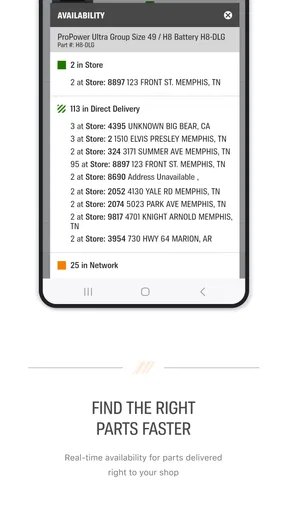
- Useful for checking product availability before visiting a store.
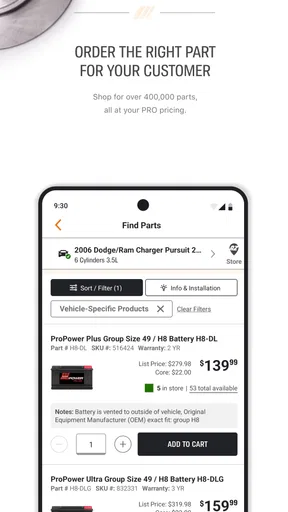
- Supports vehicle-specific parts searches to reduce compatibility mistakes.
- Store information and directions are convenient for roadside needs.
- Can help compare available maintenance products in one place.
Limitations of AutoZonePro Mobile
- Coverage and features may vary depending on your location.
- Product availability can change before you arrive at the store.
- Some parts may require additional vehicle details for accurate matching.
- The app may feel less useful if you rarely shop at AutoZone.
- Account or location permissions may be needed for the full experience.
Other Releases by AutoZone, Inc.
View All
AutoZone Auto Parts & Repair
Auto & Vehicles4.7
Similar Picks in This Category
View All
Android Auto
Google LLC4.1

maxim — order a taxi & food
PT. SITO4.7

Штрафы ГИБДД: проверка с фото
Pays LLC – Штрафы ГИБДД4.7

Номерограм – проверка авто
Авто Ассист4.8

Дром Авто
Дром4.9

Frequently Asked Questions
What is AutoZonePro Mobile used for?
AutoZonePro Mobile is designed to help drivers manage common vehicle-related tasks from a mobile device. Depending on the available version and region, it may provide access to automotive information, maintenance resources, parts or service details, and account-related features. Before downloading, check the official listing carefully because the exact tools, supported vehicles, and services can vary by country and app version.
Is AutoZonePro Mobile compatible with my Android or iPhone?
Compatibility depends on your device model, operating system version, and the current requirements published in the Google Play Store or Apple App Store. Older phones may not support every feature, especially location, camera, notification, or account functions. We recommend checking the app’s store page before installation and keeping your operating system updated for the best performance and security.
Does AutoZonePro Mobile require an account or personal information?
Some features may be available without signing in, while services such as saved vehicles, order management, service history, personalized recommendations, or customer support can require an account. During registration, the application may request information such as an email address, phone number, location, or vehicle details. Review the privacy policy and permissions before providing personal data.
Can AutoZonePro Mobile identify the correct parts or maintenance for my vehicle?
The app may help narrow down compatible products or maintenance information when you enter details such as the vehicle’s year, make, model, engine, or identification number. However, digital recommendations should not replace professional verification. Vehicle configurations can differ, and an incorrect part may cause damage or safety problems, so confirm fitment with official documentation or a qualified technician.
Is AutoZonePro Mobile free to download, and are there additional costs?
The application may be free to download, but some services accessed through it can involve purchases, delivery charges, installation fees, subscriptions, or other costs. Pricing and availability may also vary by location. Always review the checkout screen and store information before confirming a transaction. If the app offers optional upgrades or paid services, check whether they renew automatically.
